Total Pageviews

Showing posts with label Games. Show all posts

Friday, July 27, 2018

Play all the android games on your computer


The number of applications and games offered on an Android device is almost uncountable and growth of smartphone because of Android has exceeded expectations of everyone. All this is possible because Android is an open platform and anyone can customise, make an app, create their own games and many other features are available. Games which are available on Android devices are very addictive as well as compelling. You can also play all these games on a bigger screen i.e. on your laptop. Downloading an emulator software for your pc can help to play all android applications and games.
There are always some problems while playing games on a mobile device such as its battery level, overheating, and many other problems. All these problems can be avoided if you play these games on your laptop or computer as there is no need to worry about its battery and overheating issues and you will be able to play all available games without any disturbance.

Playing games on a bigger screen 

Emulators can be used to install all android games on your computer according to your choices, but it is important to know all the details related to emulators as it is possible that the software might not work according to your plans. There are a lot of emulators available on the internet, some are free and some are not. All the details related to emulator is available on their official website, choose accordingly before installing an emulator.
How to select a proper emulator?
Selecting a perfect emulator is hardest part of all as it will only depend on the specification of your computer. Here are a few suggestions for you to play games on a bigger screen.

BlueStacks android emulator 

It is one of the most popular emulator software as it is easy to use and supports can work on all computers. It is available for free, and paid applications and games are also available along with free ones. Bluestacks allows to play whatever game you want and it even allows to play games in full-screen mode. Installation of Bluetsacks is simple and it can be done by visiting its official website and download it by clicking on the download link. Once installed, additional log-in is required to use the features of google play store to download apps and games.

Nox player android emulator 

Nox is one of the best emulator available as it has various options and features to make it worth your time and allows to enjoy without any problem. It has an advanced feature which allows to allocate memory and RAM for Nox player to use. Although Nox player is easy to download, user-interface is not very friendly and it could take time to adjust.
It is true that you can play all the games on a bigger screen, but bigger is not always better as there are many problems with these emulators such as unhandy gaming controls to use gaming features is a common problems.

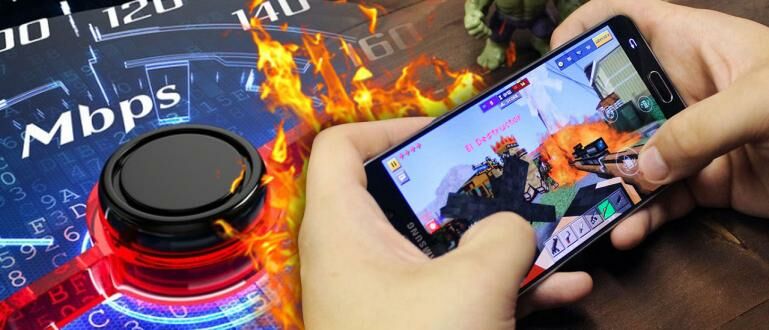
How to Play PUBG Mobile in Smartphone 1GB RAM Without Lag!

Playing games on smartphones is now a mandatory activity to ward off boredom in your spare time. Even now you can choose various titles and game genres, such as PUBG Mobile, Rules of Survival, Mobile Legends or Arena of Valor. Of course, when playing the games above, you definitely want to be a comfortable game without lag right? Well, the following Jaka will love how to play Android games without lag!
Cara Lancar Main PUBG Mobile di Smartphone RAM 1GB Tanpa Lag!
How to Play Android Games with Game Booster Act
To play games like PUBG Mobile without lag, you can use the Game Booster Act application developed by NetEase Games. Just so you know, these developers
are also developing the game Rules of Survival (ROS) and Fortcraft!
Step - 1
First, of course, you must install the Game Booster Act application developed by NetEase Games. 
Step - 2
Next, open the Game Booster Act app already installed on your Android smartphone. This app will make some arrangements first before entering the main view.
Step - 3
In the main page of My Games, you will be given the game information already installed on your smartphone. Here you can also choose which server version of Android online game you want to optimize.
Step - 4
In addition to the already installed games, you can also try various other game titles with a tap on the 4 box icon on the top left corner. Select All Games to see a list of supported games using Game Booster Act.
Step - 5
Before starting boosting, it's good you go to the page About us with tap icon on the top right corner. Enable WiFi / 4G Intelligent Switching Mode menu to easily switch connections according to network power.
Step - 6
To start speeding up Android games, tap the Boost button on the left. Game Booster Act will soon process the game to determine the best network. Do not forget to approve if VPN is enabled yes guys.
Step - 7
The game will automatically open and accelerate the use of internet network by Game Booster Act by using VPN. Here you can check ping obtained by games like PUBG Mobile is playable or not yet guys.
Step - 8
If you want to stop the boosting process, exit the game and you will return to the Game Booster Act window. Tap the Stop Boosting button then Game Booster Act will stop the network boosting process in the game you play

Most addictive game of 2018 - THE PUBG

Nowadays all the person has a smartphone even a 10-year-old child has. As with the development of smartphone, the gaming industry also developed a lot. Even from the snake on the NOKIA-1100, we have great much love for mobile games. Every year has a certain game that will have more hype. For example, a few years ago there is a game called Clash Of Clans. We are addicted to it the most. Things are a lot changed now. The games are better with good graphics and immersive gameplay.
IMAGE OF PUBG COVER

Lets now talk about the latest smartphone game which is most addictive. Yes, I am talking about the "Players Unknown Battle Ground". Commonly known as PUBG. It is the top game with awesome graphics and with super co-op gaming experience. The game was created by PUBG corporations and the publisher is Tencent games. The game was released for Windows on December 20,2017 and on android march 19,2018 worldwide.

The game has two modes they are Arcade and classic mode. In arcade mode, there are three sections there is an 8-minute section, a mini-zone, and a 15-minute sniper training. All of them are special in its own way. It is the concept of Battle Royale. This game has three maps namely Miramar, Erangel, Sanhok. All are designed with a cool graphics.
This game has three playing modes such as solo, duo, squad. In solo mode, the player has landed in a starter island with 100 other players. Then all of them carried away with an airplane and dropped on a map. We have to kill all the remaining 99 members and become the last man stand to win this game. 

In duo mode, we have another member which may be our friend or other online players. Here we have to kill the other participants and become unkilled to win. A Good partnership among other players was required to win this game.

In squad mode, we have a squad of four members and the rules are the same as the duo and solo. When players are increases the fun also increases. In both the duo and the squad, the players can voice chat with each other. 
Now we discuss the gameplay of PUBG. The game was very interactive and properly fitted to all our smartphone. It is two zones Blue zone and safe zone. The players must be inside the safe zone. After some time the blue zone was started to shrink. When it touches the safe zone it is also shrunk to some extent.
IMAGE OF PUBG ANOTHER COVER

PUBG was compatible with Computers, Xbox, Smartphones. The minimum requirements for Computers are given below.
OS: 64-bit windows 7, windows 8.1, windows 10
PROCESSOR: Intel Core i3-4340 or AMD FX-6300
MEMORY: 6GB RAM
GRAPHICS: Nvidia GeForce GTX 660 2GB or AMD Radeon HD 7850 2GB
DIRECTX: Version 11
STORAGE: 30GB available space

There are two points of view they are Third Person Point(TPP) and First Person Point(FPP). The game has immersive graphics experience and great co-op gameplay. But battery consumption is very high while playing on smartphones. The biggest rival of this game is "FORTNITE". I will review it when I played that.

I think this review is more useful for you guys. Comment below the name of the game that you want to review by me. Contact me through my social links up above.

Top 5 offline games for Android phone


             Games is the source of entertainment and it is the most important to spend time. You have a Smartphones you should download the game for entertainment, spend time or got some fun. we are so lucky because we have a mobile phone. In this post, we should talk about 5 offline games for android phone. Do you know about the online game and offline game? The online game means we should need internet access to operate this online game and the offline game means we should not need internet access to operate the offline game. Offline game is easy to operate. Top 5 offline games for the android phone are:-
READ: 10 BEST free games without wifi


        1. Metal squad
        2. Hill climb
        3. D Day
        4. Zombie catcher
        5. Subway surfers

  1. Metal squal:-

                  This game is free to purchase in the play store. we should not need to pay money to download this game. First of fall in this game gave a gendered female to fight the anime. In this game, its give a gun to kills the anime. In this game, there are came more anime to kill this character but we should person and killed all anime. Then there are came main anime we should fight them and this anime. Then we should go another level. you are going another level then this level is hard than the first level. In another section there are only fight main anime then we killed this anime then we can go another level.

DOWNLOAD LINK: Metal squal

  2.Hill climb 2:-

                This game is also free to purchase in the play store. In this game, we can play the car racing. In this game have both facility offline and online playing game. In the offline facility, we can unlock the level for using the money. In this game, we can upgrade the engine, tire etc. In the online facility, there are choose our country flag and play with another country player.
DOWNLOAD LINK: Hill climb 2

  3. D Day :-

             This game is also free to purchase in the playstore. This game is the war game. In this game, we are a soldier and our team attack the terrorist or our anime and killed all of them. And we are going to running or we get more anime then we should killed all of them then we victory this game. There are more level to paly we should going more level then we should got hard then before. In this game, we should purchase the gun to going another level.
DOWNLOAD LINK:D Day

4.Zombie catchers:-

                    This game is also free to purchase in the playstore. In this game, we should catch the zombie to make the food and juss. In this game, there are level to level to unlock the next zombie. In this game, we can throw the spaceships to find out the zombie. Then we can find the zombie we are going to catch the zombie ahd putin the food and juss making the machine. Then we can sell this food and juss to the costomer.
DOWNLOAD LINK: zombie catcher

  5.Subway surfers:-

                    This game is also free to purchase in the playstore. In this game, we can an adult child to painting in the train then police see and running to find and we can also running the track of train. we are running in the track there are came coin then we collect the coin. we are using this coin to purchase the new people.
DOWNLOAD LINK: Subway surfers